

Gameplay Programmer
void USORNGameSettings::ApplySettings(bool bCheckForCommandLineOverrides)
{
	Super::ApplySettings(bCheckForCommandLineOverrides);

	//Engine only
	if (GEngine)
	{
		GEngine->bSubtitlesEnabled = bSubtitles;
	}

	UWorld* World = GEngine ? GEngine->GetCurrentPlayWorld() : nullptr;
	if (!World)
	{
		SaveSettings();
		return;
	}

	for (TActorIterator It(World); It; ++It)
	{
		APostProcessVolume* PPV = *It;

		if (PPV && PPV->bUnbound)
		{
			if (BrightnessBaseMaterial)
			{
				if (!BrightnessMID)
					BrightnessMID = UMaterialInstanceDynamic::Create(BrightnessBaseMaterial, this);
				PPV->Settings.AddBlendable(BrightnessMID, 1.0f);
			}

			if (BrightnessMID)
			{
				BrightnessMID->SetScalarParameterValue(TEXT("Brightness"), Brightness);
			}

			break;
		}
	}
Goal:
Make settings have a centralized script instead of calling between this and Settings Manager Subsystem.
Accessibility being in one place makes it easier for UI Designers to implement blueprints in the Widgets thus saving time.
Implementation:
This system applies user-defined game settings at runtime, with a focus on allowing the player to adjust
visual brightness using Unreal Engine's post processing.
The function begins by applying the default
settings such as enabling subtitles, setting brightness and FOV.
In order to modify brightness, the
system iterates through all Post Process Volumes in the scene and identifies an unbound volume, which
then allows the effect to apply across the entire level instead of a localized area.
Result:
Creates a way for the player to adjust how they want their game to look and feel thus giving the player more control.
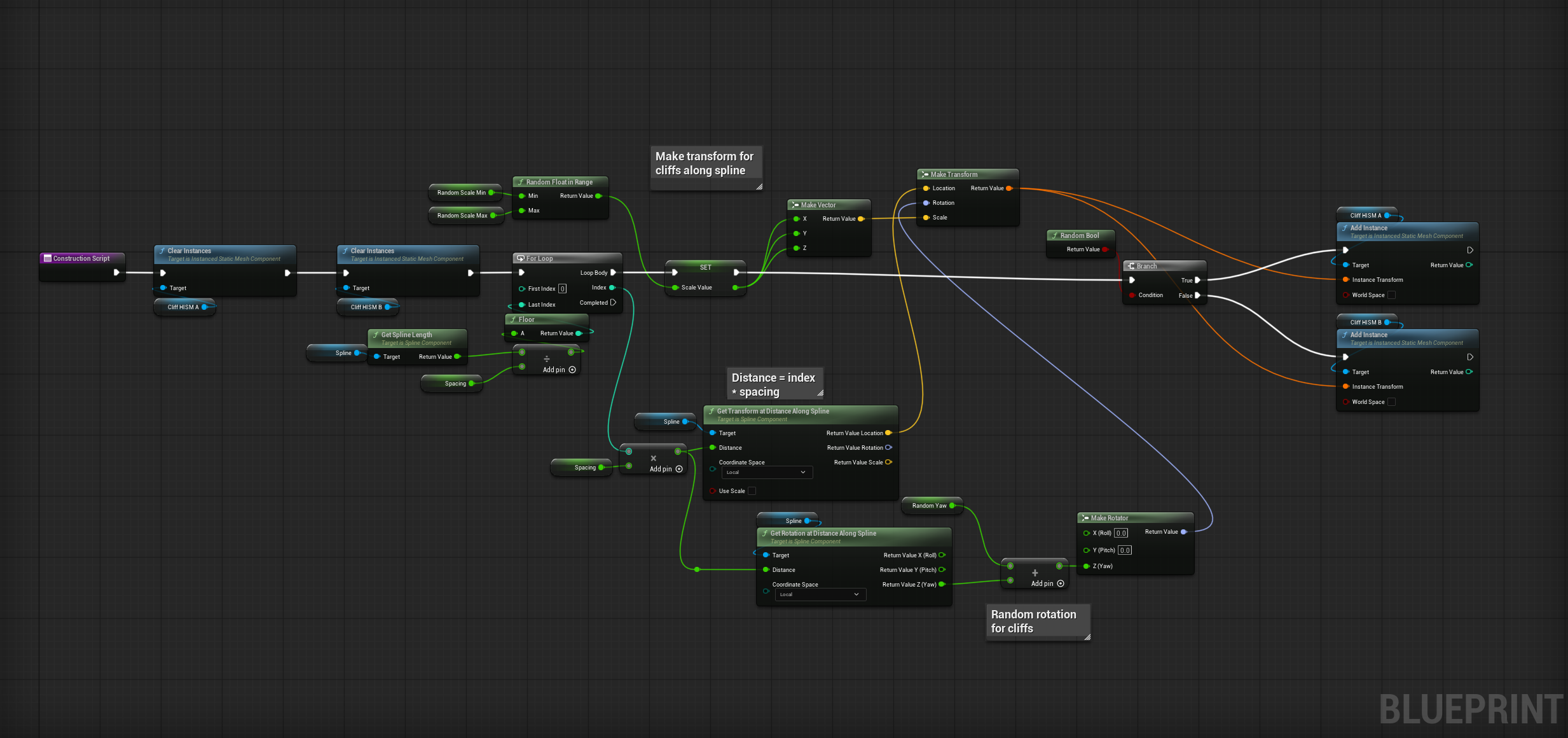
Goal:
Create a way designers can expedite set dressing by creating a spline that creates a cliff wall.
Implementation:
This system generates a procedural cliff wall along a spline that can be freely drawn and adjusted
by designers in-editor. The spline acts as a guideline for placement, allowing the environment to be
shaped quickly without manually placing individual assets.
In order to increase variation, the
system randomly selects between two different cliff static meshes for each segment and randomly rotates
them. This ensures that the final result maintains natural visual noise while still conforming to the
spline's overall shape.
Result:
Designers are able to quickly create natural-looking cliff walls by simply drawing a spline, significantly reducing
manual level construction time. The added rotation randomness and mesh variation prevent repeitition and help the
environment feel more organic and visually believable while remaining fully controllable in-editor.